


Email Marketing Metrics You Should Be Tracking (and the Goals They Help You Achieve)

Key Takeaways
- Align metrics with goals: Track specific KPIs, such as ROI for revenue goals and CTR for product promotion, to ensure your data supports your business objectives.
- Prioritize list health: Monitor bounce rates, unsubscribe rates, and spam complaints to maintain high deliverability and avoid blacklists.
- Optimize for engagement: Use open rates and click-through rates to test subject lines and content relevance, and adjust for privacy changes such as Apple’s Mail Privacy Protection.
- Consistency is key: Review metrics at least monthly and perform weekly trend analysis to identify patterns and refine your strategy.
- Avoid the “shotgun approach”: Use segmentation and A/B testing to tailor content to individual subscriber behaviors rather than sending generic blasts.
Email is still one of the best ways to reach your audience. But here’s the thing: spray-and-pray doesn’t cut it anymore.
Your subscribers are drowning in promotional emails. To stand out, you need to send emails that actually speak to what they care about, based on their behaviors and preferences.
How? By paying attention to your email metrics. They’ll show you what’s working (and what’s not) so you can send emails that actually convert.
Below, we’ve rounded up the metrics that actually matter, organized by the goals you’re trying to hit. Let’s get into it.
Email marketing metrics to monitor (and the goals they help achieve)
Different goals call for different metrics. Use the table below to match what you’re trying to achieve to the numbers worth watching, then dive into the breakdown that follows.
| Marketing Goal | Primary Metrics to Track |
|---|---|
| Generate Revenue | ROI, Revenue Per Email, Conversion Rate |
| Promote Product/Service | Click-Through Rate (CTR) |
| Build High-Quality List | Unsubscribe Rate, Bounce Rate, Deliverability Rate, Spam Complaints, List Growth Rate |
| Increase Brand Awareness | Email Share/Forward Rates, Open Rate |
| Increase Website Traffic | Click Rate |
1. Generate revenue
If your goal is to generate revenue, the metrics to watch are email ROI, revenue per email, and conversion rate.
Email marketing ROI
This is the big one: it tells you whether your email marketing investment is actually paying off. The goal? Watch that return climb with each campaign you send.
Check your ROI quarterly to make sure your investment is paying off. (Here’s how to calculate it.) When this number goes up, good things happen. For example, higher revenue per email means you’re getting more bang for your buck, making it easier to justify your email marketing budget and demonstrate ROI to leadership.
Conversion rate
A conversion happens when a recipient takes the action you want, whether that’s making a purchase, signing up for a webinar, or downloading a resource. This metric shows you how strong your contact list is and how engaged your subscribers really are.
When is that action a purchase or upgrade? You’re directly driving revenue.
Segmentation takes a bit more upfront work, but it’s worth it; targeted emails convert better and drive more revenue. And with the right tools, it’s easier than you think. For teams managing contacts across multiple platforms, Benchmark’s API automatically keeps your lists in sync, ensuring your segmentation and reporting data remain accurate.
2. Promote a product or service
If you’re promoting a product or service, your most important metric is click-through rate (CTR).
Click-through rate (CTR)
CTR measures how many people who opened your email actually clicked a link inside it. A high CTR means your audience is interested. And if someone’s clicking multiple times? That’s a qualified lead worth following up with.
Several factors can impact your CTR. Test these variables to optimize:
- Product density: Single product vs. multiple related items.
- Device optimization: Mobile-friendly layouts vs. desktop-centric designs.
- Pricing transparency: Displaying prices in the email vs. on the landing page.
The key? Test one variable at a time and track what works. You’ll quickly learn what your audience responds to, and your CTR will thank you.
3. Build a high-quality email list
Watch your unsubscribe, bounce, and deliverability rates; they’ll tell you if something’s turning subscribers off.
Unsubscribe rate
People unsubscribe; it happens. But if you’re seeing a pattern, it’s time to dig into what might be turning subscribers off.
Bounce rate
A bounce means your email never reached the inbox. If you’re seeing a lot of bounces, you’ve got a deliverability problem, either temporary or ongoing.
Deliverability rate
Deliverability measures how many of your emails actually reach the inbox (rather than bouncing or landing in spam).
Spam complaints
Too many spam complaints will tank your deliverability and could even land you on an email blacklist, where ESPs block your address entirely.
Keep an eye on spam complaints, and if they’re climbing, dig into why, then fix it fast.
List growth rate
List size matters, but quality matters more. Focus on reaching engaged subscribers who actually want to hear from you.
Some unsubscribes are normal. But if you’re losing too many people, seeing high bounces, or struggling with deliverability, something’s off, either with your approach or your list quality.
Stick to opt-in email marketing and build your list organically; don’t buy it. When your subscribers share your emails, they’re doing your marketing for you, for free.
4. Increase brand awareness
If you’re trying to boost brand awareness or promote a new product, your open rate is one of the most important metrics to watch.
Open rate
It shows how many recipients actually open your emails versus how many delete them unread.
If your open rate needs work, here’s what can help:
- Try adding urgency to your subject lines; it can give your open rate a serious boost.
- Also worth testing: send times and days. B2B emails often perform better in the morning. B2C? Try weekends.
Heads up: Apple’s Mail Privacy Protection makes tracking open rates trickier than it used to be. Subscribers can now block senders from seeing their opens. If you have many Apple Mail users, your open rate data might not tell the full story.
Email share/forward rate
When your subscribers forward or share your emails, you’re getting amplification you didn’t have to pay for. Track shares and forwards to see which content earns word-of-mouth.
5. Increase website traffic
Click rate
Want to drive more traffic to a landing or product page? Track your click rate; it shows how many recipients clicked a link out of everyone who received your email.
Want to see exactly who’s visiting? Use unique tracking codes in each email (most email platforms make this easy). These codes show you exactly which subscribers are clicking through to your site, and when you combine that with other data, you’ll start to see patterns that drive engagement.
Benchmark Email tracks this automatically; you’ll see exactly which subscribers clicked which links.
Link not getting clicks? A/B test the language, color, or font to see what works better.
How often should you check your metrics?
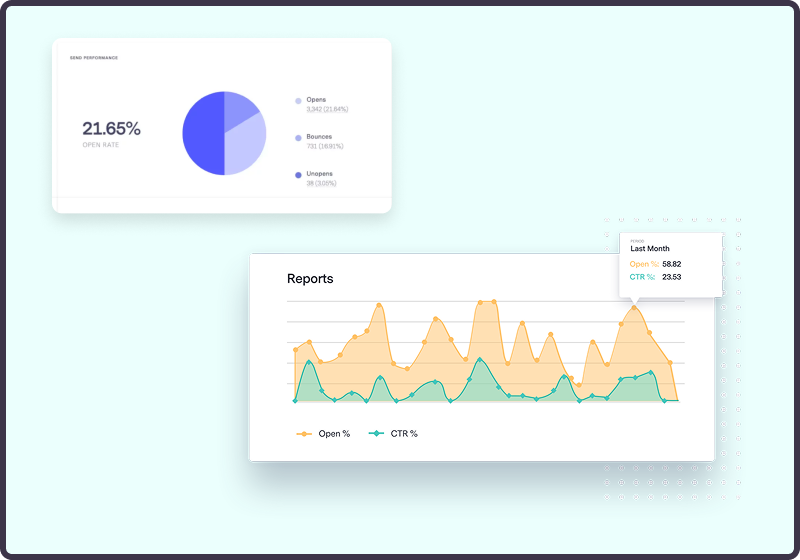
Give your numbers a quick look each week so you can spot anything unusual right away, then do a deeper review every month to track trends. If you’re using Benchmark Email’s reporting dashboard, those weekly and monthly views are one click away.
Check your metrics at least monthly, so you don’t miss any major shifts. (With Benchmark Email’s built-in analytics dashboard, it takes just a few clicks.) Also worth doing: look at weekly and monthly trends to spot patterns you might miss day-to-day.
Quick tips for improving your email marketing metrics
- Build opt-in lists only. When people actually want your emails, deliverability goes up, and bounces and unsubscribes go down. Win-win.
- Pay attention to send frequency. It impacts everything from conversion rates to deliverability to CTR.
- Clean your list regularly to remove spam accounts. It’ll boost deliverability and reduce bounces.
- Keep it short. Long emails don’t get read, and they might even lead to unsubscribes or bounces.
Summing up
In short: generic, one-size-fits-all emails don’t cut it. Your subscribers are drowning in promotions; you need to stand out. To stand out, send emails that speak to what your subscribers actually care about, based on their behaviors and preferences. By paying attention to the data from your marketing analytics, you can create more compelling emails that will help you achieve your goals.
Frequently Asked Questions
What are good open and click-through rates for email marketing?
Aim for an open rate between 20% and 40% and a click-through rate between 2% and 5%. Rates vary by audience and email type, so track your own history and look for steady growth.
What is the 60/40 rule in email marketing?
The 60/40 rule suggests that roughly 60% of your emails should educate, inspire, or entertain, while the remaining 40% can focus on promotions or sales. Balancing content this way keeps readers interested and reduces the risk of unsubscribes.
What are the “5 Ts” of email marketing?
They’re a simple checklist:
- Tease: Write subject lines that spark curiosity.
- Target: Send to the segment that cares most.
- Teach: Share tips or insights they can use.
- Test: Try different copy, images, or send times.
- Track: Watch your metrics and refine.
Run through the 5 Ts before each send to keep every campaign sharp.
About the Author:

Content Marketing Manager | Content marketing, inbound funnel, social media, email nurture | Natalie Slyman is an experienced Content Marketing Manager at Benchmark Email with a strong B2B background and a knack for crafting pillar content that boosts SEO and brand authority. She regularly shares actionable insights—from remote-work strategies to AI-powered content workflows—via blog posts and webinars tailored for busy marketers.